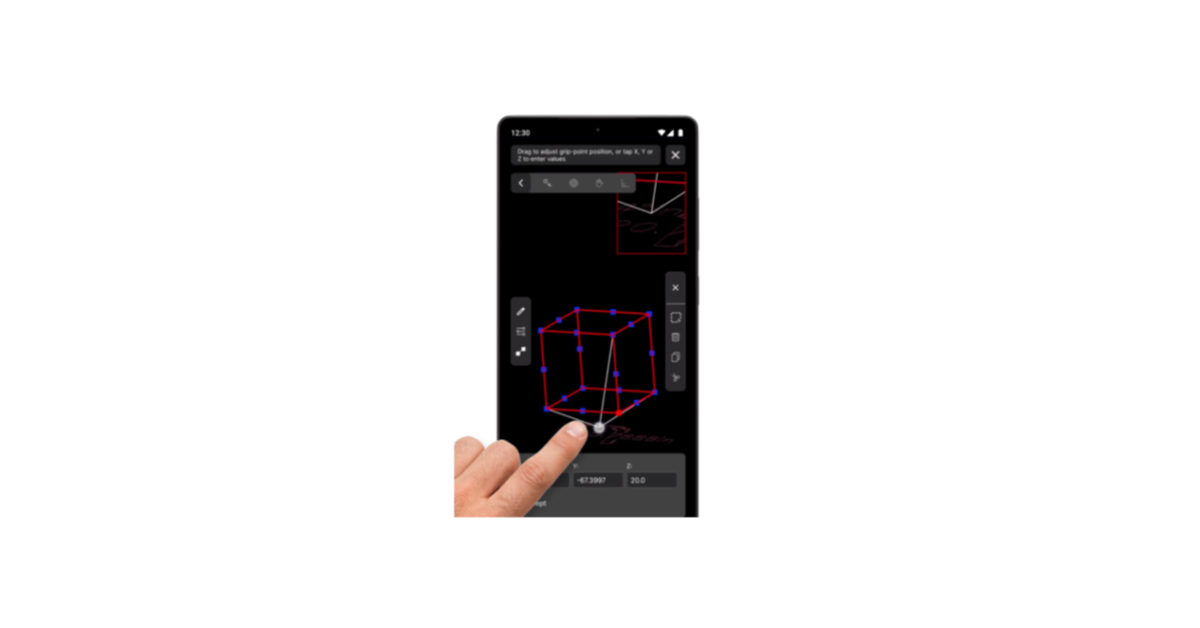
Major update introduces 3D wireframe editing and enhances the mobile CAD experience for engineers, designers, contractors, and other professionals.
SAN FRANCISCO, CA, UNITED STATES, August 20, 2026 /EINPresswire.com/ — Gestureit, LLC today announced a major update to Gestureit CAD, introducing 3D wireframe editing capabilities to the Android CAD application along with significant UI/UX, workflow, onboarding, editing, and performance improvements.
Gestureit CAD can be used as a standalone mobile CAD solution or to complement existing desktop CAD workflows. Users can create and work with drawings directly on their Android devices, or access existing drawings to continue viewing, measuring, inspecting, dimensioning, annotating, and modifying them. This flexibility allows users to perform real CAD work wherever it is needed.
The Android CAD app is a 2D/3D CAD editor supporting drawings in DWG, DXF, and PDF, with import and export capabilities. Users can interact precisely with 2D and 3D drawings to quickly change geometry and parameters, work with layers, object snapping, dimensions, and a range of professional editing commands including Trim, Extend, Chamfer, Fillet, Hatch, Blocks, Mirror, Scale, Join, and Offset.
Gestureit CAD provides 2D/3D wireframe editing, including the ability to edit 3D drawings in any view, extending its usefulness beyond conventional mobile drawing viewers and flat 2D utilities.
The application incorporates patented touch-based editing in its 2D and 3D editing tools, providing an intuitive way to interact with and modify CAD drawings directly on touch-screen devices.
The major update also introduces significant UI/UX and workflow enhancements, guided long-press hint messages, a comprehensive User Guide, improved onboarding and sample drawings, enhanced editing tools, and improvements to overall performance.
“Mobile devices have become powerful enough to be real productivity tools, yet CAD users still need access to capable tools when they are away from their desktop workstations,” said Eli, founder and CEO of Gestureit. “Our goal with Gestureit CAD is to provide an affordable standalone mobile CAD solution while also seamlessly complementing the desktop tools professionals already use, giving users practical 2D and 3D CAD capabilities wherever their work takes them.”
Gestureit CAD provides an affordable solution for users who need professional CAD functionality on Android, whether as a standalone CAD tool or as an extension of their existing desktop workflow.
A free, ad-supported version allows users to view, measure, and inspect drawings and evaluate the app. Users who need full 2D and 3D editing capabilities can activate a 7-day full-access free trial, with affordable monthly and annual subscription options available for continued full access.
Gestureit’s pricing is intended to make professional mobile CAD accessible not only to engineering and design organizations, but also to independent professionals, small businesses, contractors, students, and others for whom the cost of traditional CAD software can be a barrier.
Gestureit continues to expand the application with additional CAD functionality based on real-world use and customer feedback.
Gestureit CAD is currently available for Android through Google Play.
**About Gestureit**
Gestureit, LLC develops mobile CAD technology focused on making professional CAD capabilities accessible on touch-screen devices. Gestureit CAD provides practical standalone 2D and 3D drawing and editing tools while also complementing existing desktop CAD workflows for users who need to work with drawings in the office, in the field, or on the go.
Eli Zeevi
Gestureit, LLC
eli@gestureit.com
Gestureit CAD – 2D & 3D CAD Editing on Android
Legal Disclaimer:
EIN Presswire provides this news content “as is” without warranty of any kind. We do not accept any responsibility or liability
for the accuracy, content, images, videos, licenses, completeness, legality, or reliability of the information contained in this
article. If you have any complaints or copyright issues related to this article, kindly contact the author above.

Media gallery